aggyterm
A downloadable game for Windows and Linux
NEW: soon-to-be-release build features code folding for previously entered command blocks plus block-at-once copy to clipboard buttons.
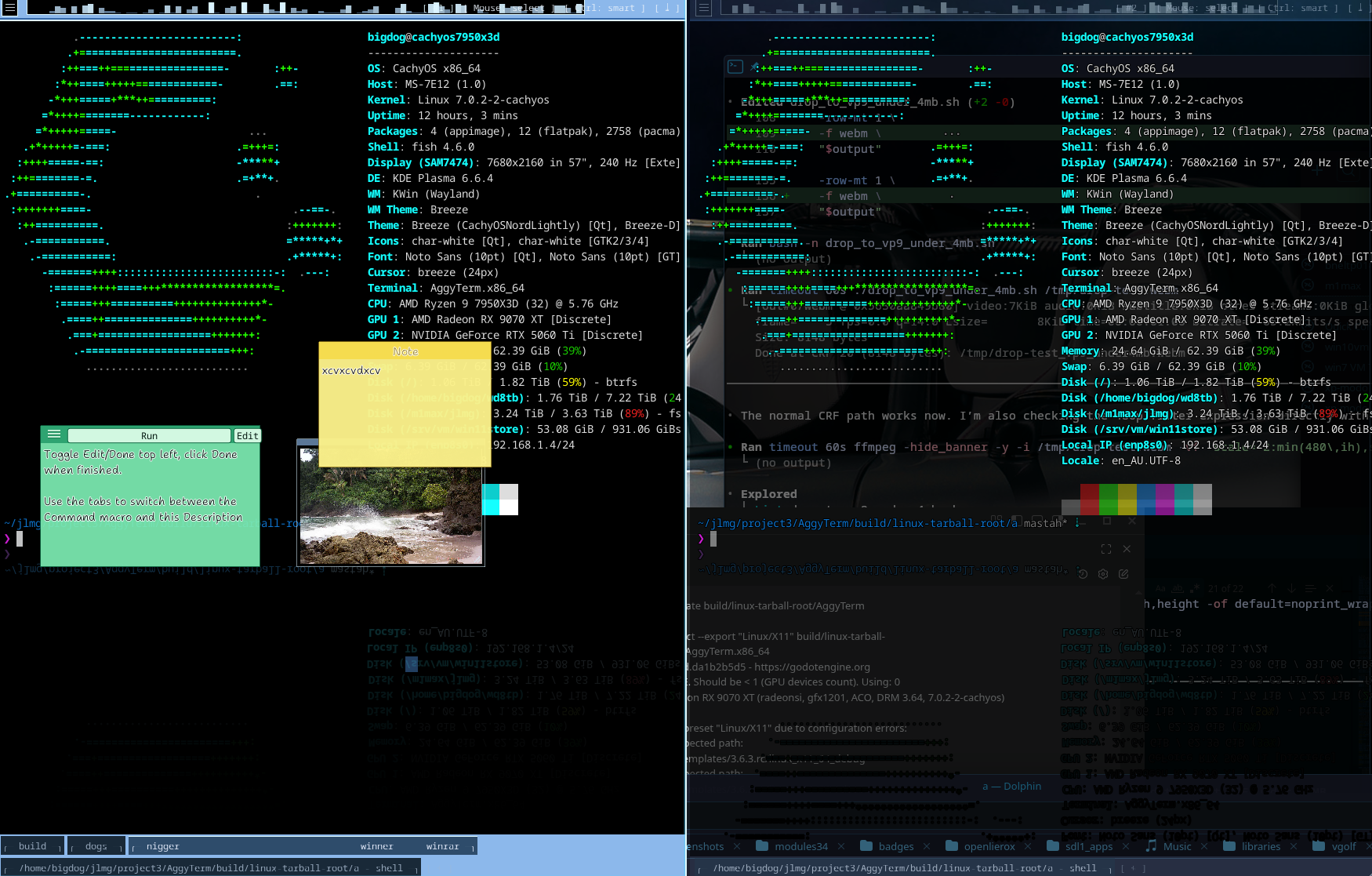
AggyTerm is a cross-platform terminal emulator and workspace shell built on Godot 3.6, targeting older Windows laptops, weak integrated graphics, VMs, Modern Linux desktops, and Apple MacOS. The project aims to create a visually polished, self-contained terminal emulator with features like tabs, panels, splits, persistent history, per-tab notes/images/wallpapers, a timeline instead of a scrollbar, drag/drop helpers, progress bar file download mode, smart clipboard/mouse routing, and optional advanced graphics.
Key Features & Design Principles
- Visual Style: The design emphasizes a glossy, glassy, semi-transparent appearance inspired by Windows 7 Aero. Terminal backgrounds are semi-transparent black with opaque glyphs, creating a distinct look without sacrificing readability.
- Workspace Model: AggyTerm uses a single OS window per process, with panels that can be split and rearranged within the workspace. Users can run multiple instances for additional OS-level windows.
- Terminal Backend: The terminal emulation is handled by native/backend code rather than GDScript, using libraries like libvterm or Contour's vtparser/vtbackend for VT/xterm escape parsing, PTY/ConPTY integration, Unicode handling, and sixel support.
- History & Journaling: AggyTerm maintains persistent history with durable unsigned 64-bit TermIDs allocated from a counter, stored in platform-specific app data directories. It records terminal activity as append-only framed events using PPMd compression for efficiency.
- Input Handling & Routing: AggyTerm consumes specific shortcuts (e.g., Ctrl-Shift-C/V, tab navigation) and provides toggles for mouse routing (App Mouse/Select Mouse) and clipboard handling (Smart/Pass-through modes).
- Font Scaling & Split Behavior: Font size can be adjusted with Ctrl-MouseWheel, debouncing backend resize notifications to avoid spamming events. Splits automatically collapse when the last tab in a panel is closed.
- Advanced Graphics Mode: Optional GLES3 mode supports effects like SSR/glow/post-processing and 3D cursor meshes for enhanced visuals.
Build & Distribution
- Targets: Windows 10+ (MSYS2 UCRT64), macOS (.app bundle), Linux (x86_64-v2), Windows XP (per-pixel window transparency disabled)
- Build System: Makefile with SCons, targeting Godot 3.6 GLES2 by default.
- Distribution: itch.io self-contained native binaries using embedded PCK exports.
Documentation & Workflow
The project development maintains detailed documentation in various docs/ files covering build processes, visual style guidelines, terminal interactions, workspace behavior, journaling, OSC handling, shell integration, and troubleshooting, including the relevant contents of RFCs.
Key Challenges & Considerations
- Cross-Platform Compatibility: Ensuring consistent behavior across Windows, macOS, and Linux, including PTY/ConPTY integration and drag/drop handling.
- Performance Optimization: Balancing visual polish with efficient rendering in GLES2, avoiding heavy shaders or GPU readbacks, targeting 60fps+.
AggyTerm represents an ambitious effort to create a modern, visually appealing terminal emulator while maintaining broad compatibility and leveraging the Godot 3.6 framework effectively.
Key Combos
| CTRL-SHIFT-key | Shortcut Action | 1 |
| CTRL-SHIFT-N | new mitosis split | 2 |
| CTRL-SHIFT-T | new tab in current panel | 3 |
| CTRL-SHIFT-O | toggles transparency | 4 |
| CTRL-SHIFT-arrow keys | change tab | 5 |
| CTRL-SHIFT-Q | quit app (shows prompt, pres ESC to cancel) | 6 |
| CTRL-SHIFT-ALT-Q | insta quit no prompt | 7 |
| CTRL-SHIFT-A | select all visible | 8 |
| CTRL-SHIFT-M | show markdown preview (esc to dismiss) | 9 |
| CTRL-SHIFT-ENTER | create a new floating sub terminal | 10 |
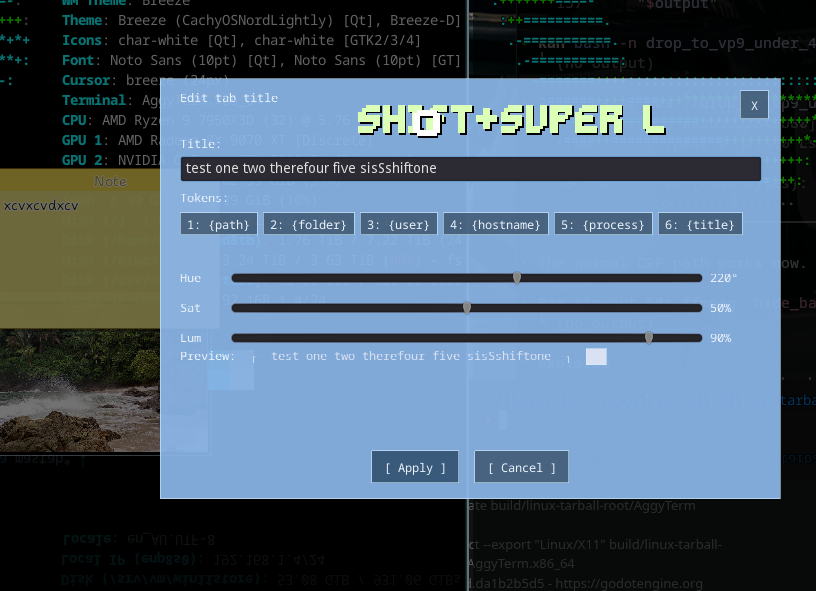
- double click tab names to rename them
- can drag persistent notes in
- can make "macro notes" from text selections (click button to send prepacked thing -i use it for git add -u . git status git commit type stuff by clicking instead of cycling through up arrow history)
- systray icon with settings (not working, press esc to return)
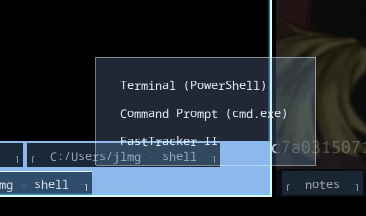
- HOLD SHIFT+Left Click on new tab icon [+] to get a choice list (on windows Powershell / CMD)
- HOLD SHIFT+Left Click Drag to move window around
- Resize window on the bottom right
- Also can drag the window around on the blank space of the bottom tab bar, no shift needed
Download
Leave a comment
Log in with itch.io to leave a comment.